

My Next.js app wasn’t faster than the SPA it replaced. This was why.
We migrated to the App Router, and like every React developer, I did the obvious thing: I slapped "use client" at the top of every page so my hooks kept working. It compiled. It ran. And it was exactly as slow as before, because I’d turned Next.js back into a plain single-page app. Everything in that file ships to the browser bundle.
It took me longer than I’d like to admit to see what was wrong. The code worked. The problem was invisible: it was all the JavaScript I was shipping that I didn’t need to ship.
The mental shift: Server Components are the default
The App Router inverts the assumption most of us carried over from the Pages router and from Create React App. In the old world, everything was a client component by default and you opted into server rendering. In the App Router, Server Components are the default shell. They render on the server, fetch data on the server, and ship zero JavaScript to the browser for themselves.
"use client" isn’t a label that says “this page is interactive.” It’s a boundary marker that says “everything in this file and everything it imports goes into the client bundle.” When you put it at the top of a page, you’ve opted the whole page back into the old model, same bundle, no benefit.
The fix is structural: keep the page as a Server Component, and mark only the interactive leaf as a client component. The button. The dropdown. The form input. Not the page.
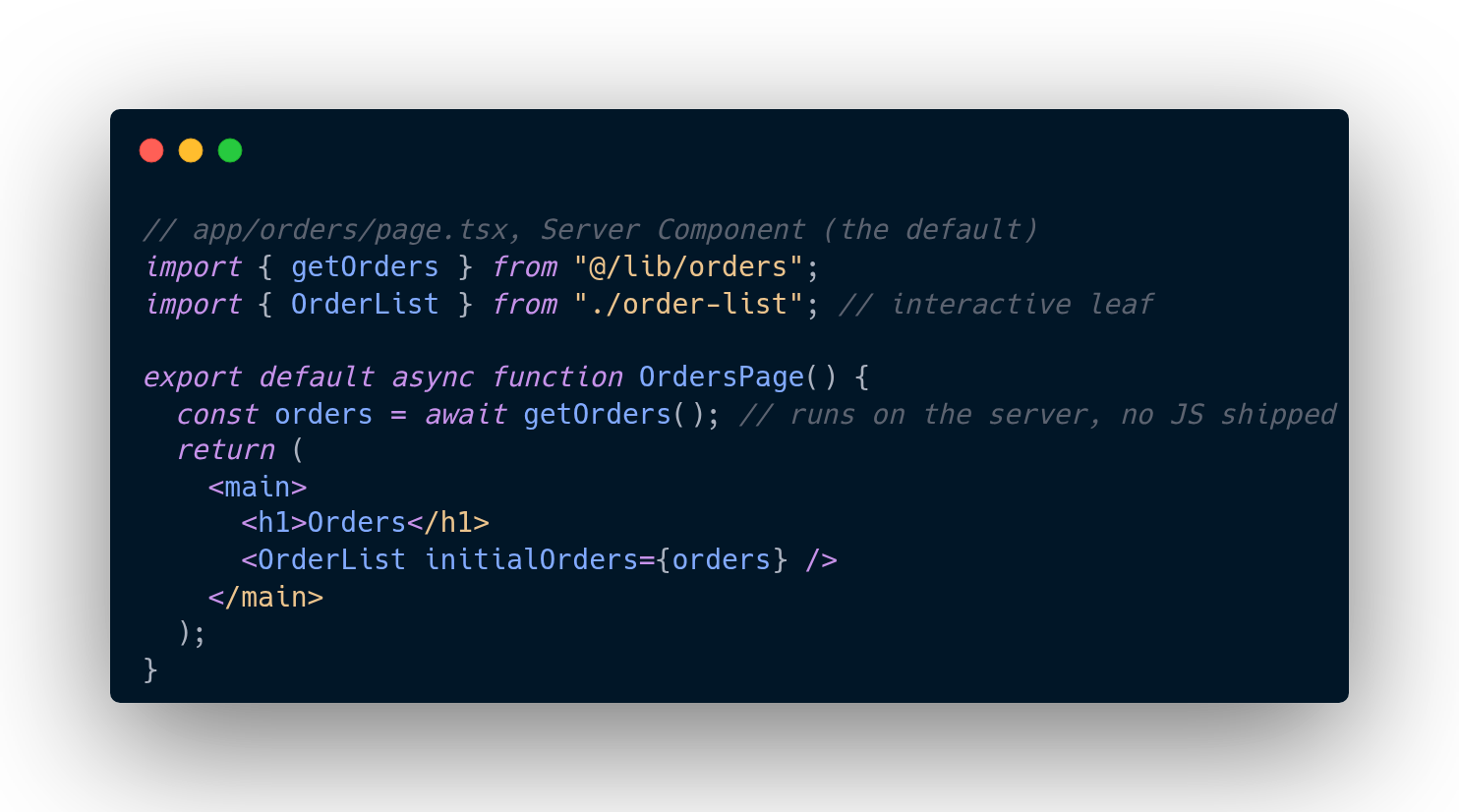
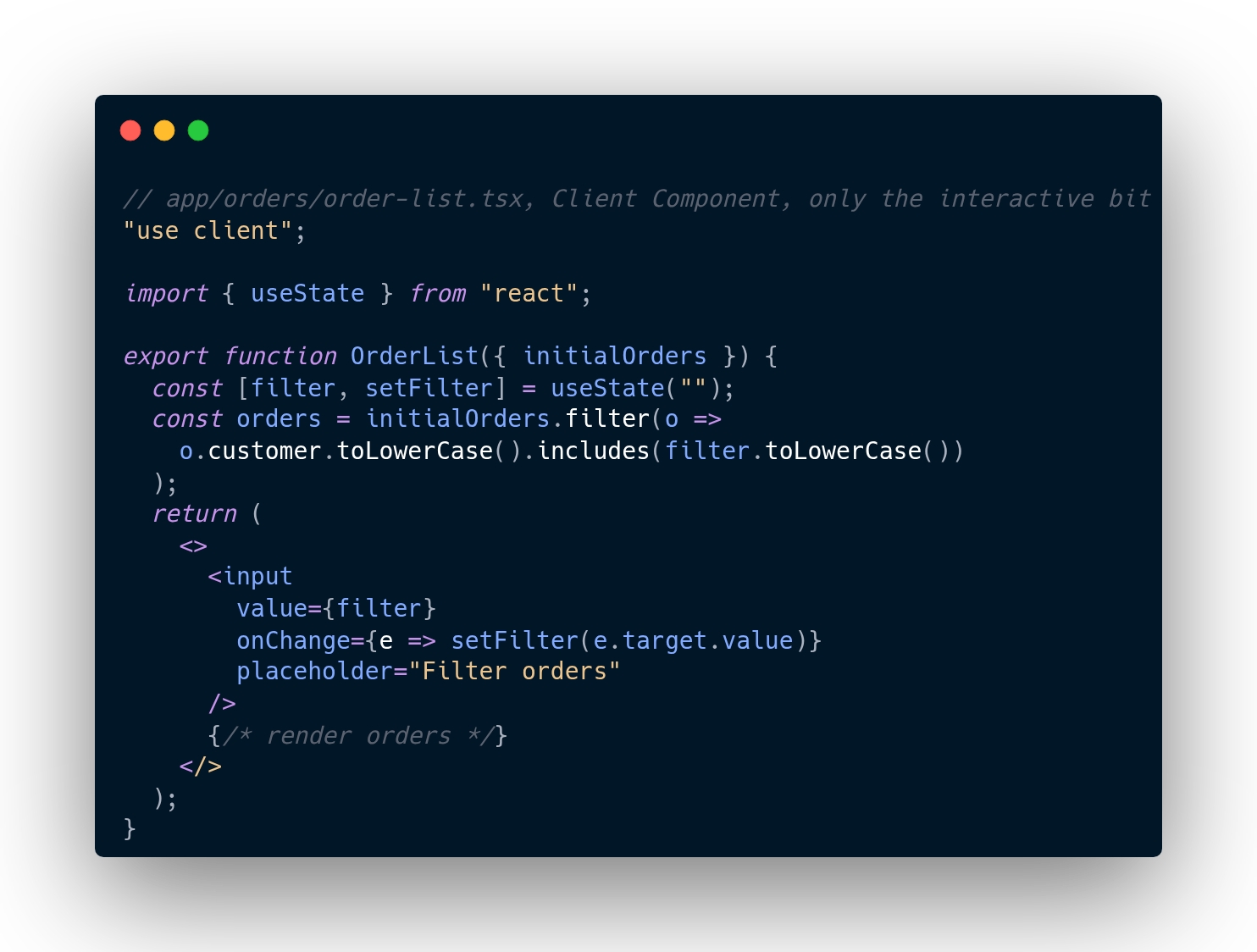
The page fetches data on the server. The leaf handles the interaction. The browser only downloads the code for the leaf. This is the shape the App Router wants, and once you see it, the old habit of marking whole pages "use client" looks like what it is: a migration shortcut that became permanent.
Stop fetching from your own API routes
This one stung a little, because it felt so natural. Coming from the Pages router, my instinct was: the client calls /api/orders, the API route talks to the database, the data comes back. Clean separation, right?
In the App Router, a Server Component can call the database directly. Fetching /api/orders from your own page is a network hop to your own server for no reason, you’ve added latency, serialization, and a whole route handler to accomplish what a function call could do:
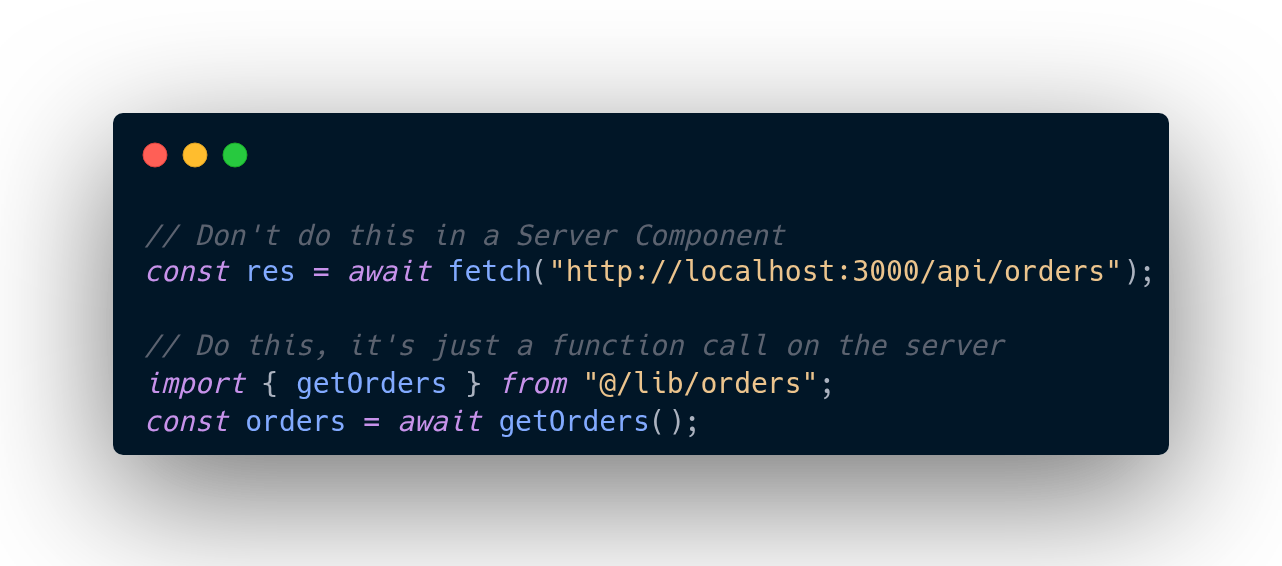
The rule I follow now: Server Actions for mutations that only your UI calls, and Route Handlers only for external consumers, webhooks, third-party integrations, things outside your app. If the only caller is your own page, you don’t need an HTTP boundary between them.
The server-only safety net
One more, because this one nearly burned me. If a client component imports anything that touches secrets, the database client, or the filesystem, you don’t always get a helpful error. In the worst case, you get a broken build, or worse, secrets bundled into client-side JavaScript.
The server-only package turns that silent footgun into a hard build error. Import it at the top of any module that must never leave the server:
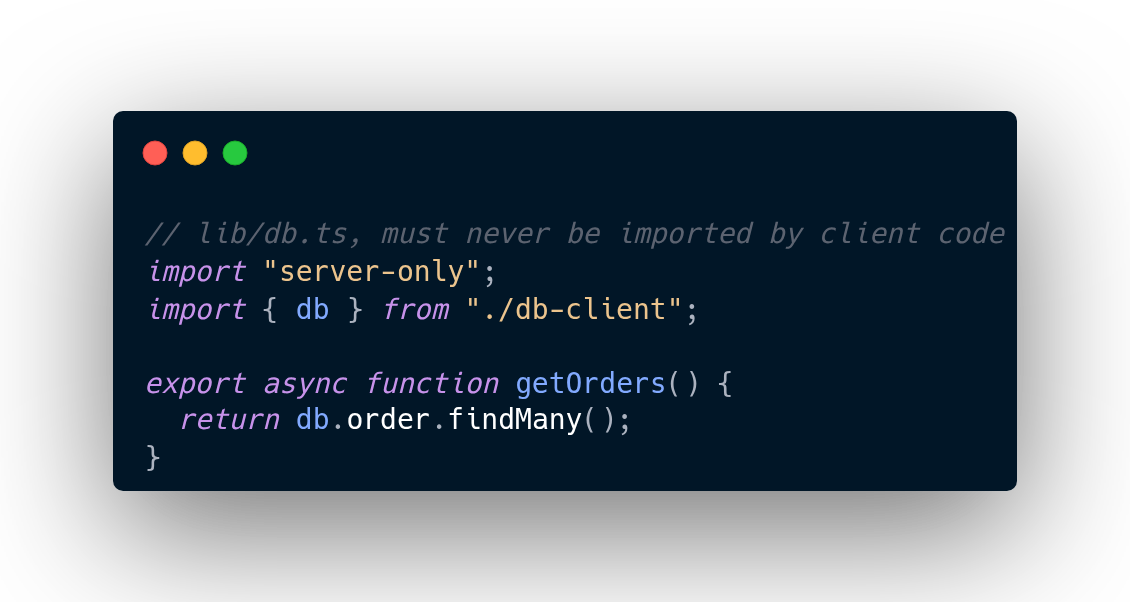
If a client component (or anything it imports) pulls this in, the build fails loudly instead of leaking quietly. One line. Cheap insurance. I add it to every data-access module by default now.
Pages router habits will slow you down
The App Router rewards a different shape of thinking, and the transition is genuinely uncomfortable. Everything your React muscle memory tells you, fetch in effects, mark it client, route through the API, has a better alternative in the new model, and the old habits will actively cost you performance.
What helped me was thinking of it as layers: the server shell does the fetching and the structure; client components are small, surgical islands of interactivity; and the boundary between them is the most important architectural decision in the app. Get the boundary right and everything else, performance, security, simplicity, follows.
What’s the Next.js gotcha that caught you? I’ve collected a few, and I suspect this one isn’t the last.