

I updated the database, refreshed the page, and nothing changed. It’s not a bug.
Every Next.js developer has a version of this story. Mine happened on a dashboard page: I changed a record in the database, hit refresh, and stared at the old data before the creeping suspicion set in. I hadn’t broken anything. I just didn’t understand the caching model yet.
Here’s what’s actually happening: the App Router has four caches, and most of the debugging pain I’ve seen, mine included, comes from applying the fix to the wrong layer.
The four layers
1. Request memoization, dedupes identical fetch calls within a single render pass. It’s React’s own mechanism: if two components fetch the same URL during one render, only one request goes out.
2. Data cache, persists fetch results across requests and deployments. This is Next.js’s own cache, and it’s the one most people are actually fighting with when they say “caching.”
3. Full route cache, stores the rendered output (the HTML / React Server Component payload) of a route at build time or after first request.
4. Router cache, the client-side cache in the browser. When you navigate, Next.js can serve a previously visited route from this cache without hitting the server at all.
Four layers, each with its own invalidation rules. The debugging question becomes precise: which layer is stale?
“The server is correct but the browser shows old data”
That’s layer 4, the client router cache. Your server revalidated fine; the browser is serving the React Server Component payload it already has. The fix lives on the client:
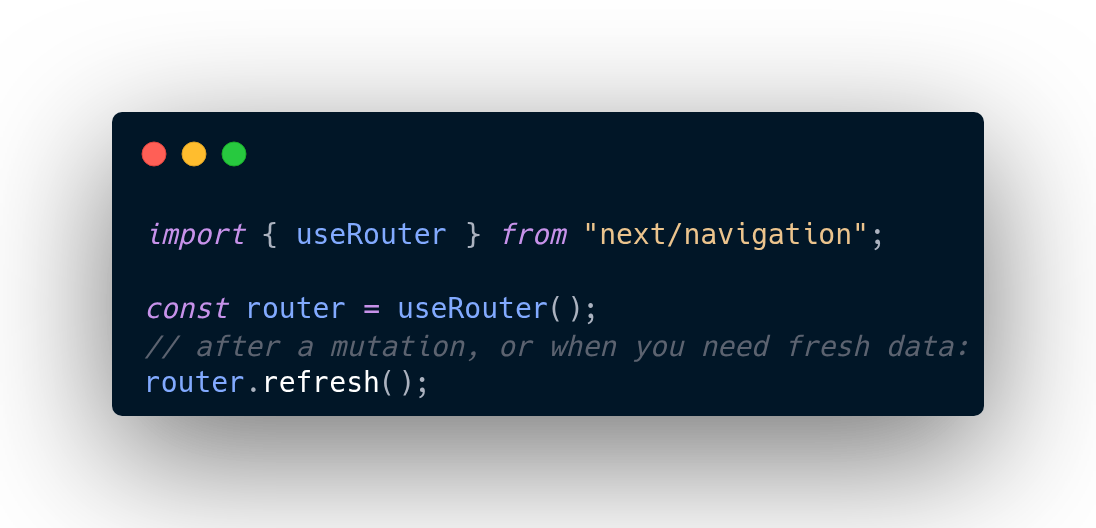
router.refresh() tells the client to re-request the current route from the server, bypassing its cached copy. If you’ve ever revalidated on the server, confirmed the data changed, and still seen the old page, this was probably it. I lost an embarrassing amount of time to this one before it clicked.
“I called revalidatePath and it still didn’t work”
This is the one that breaks people’s trust in the docs, and it’s the most instructive. revalidatePath clears the full route cache (layer 3), the rendered output. But when the route re-renders, it does so using data cache entries (layer 2) that still hold the old fetch results. You’ve cleared the painting but not the palette.
The fix: tag your fetches, and clear the data at the source with revalidateTag:
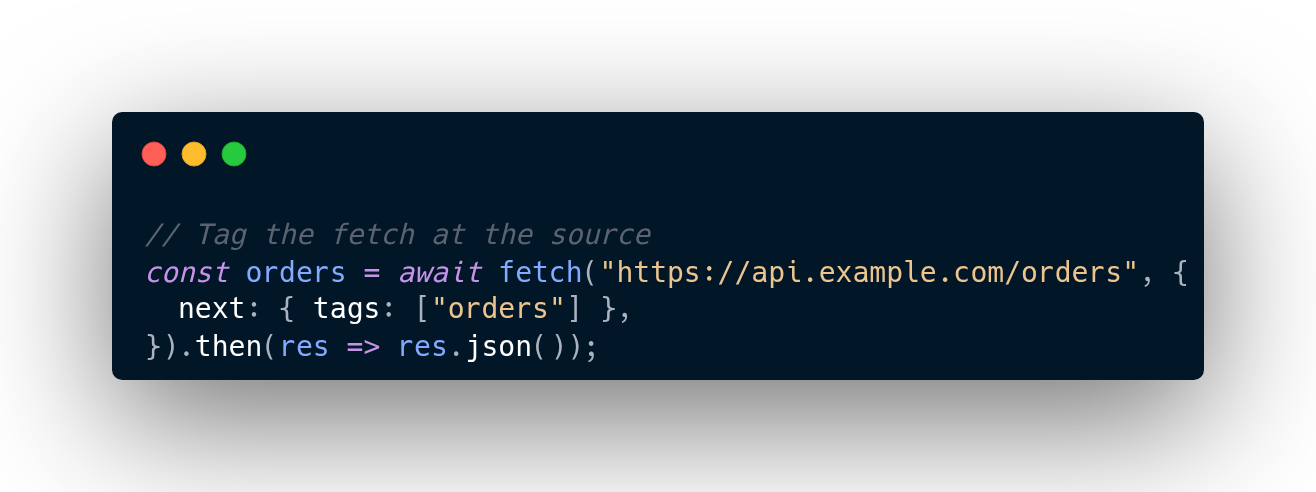
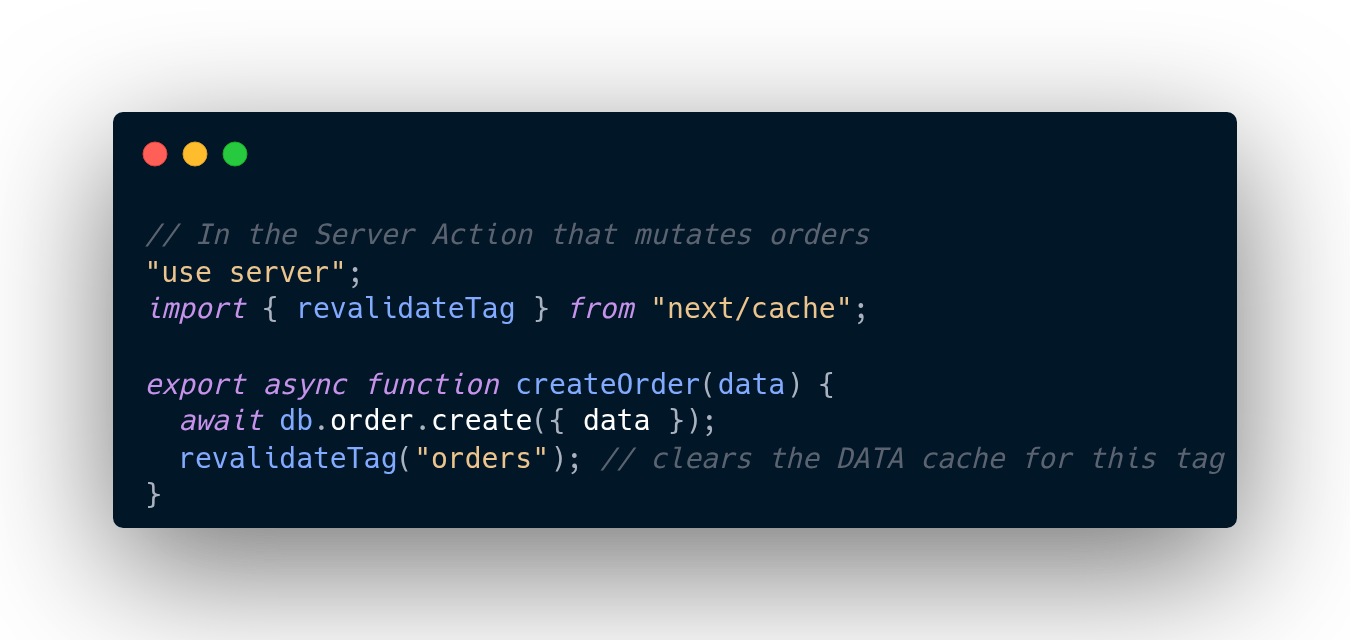
The mental model I use now: revalidatePath says “re-render this page.” revalidateTag says “the underlying data changed.” When your mutation changes data, you almost always want the second one. The “which layer did you actually clear” question answers itself once you tag things deliberately.
“The mutation happened but the UI didn’t update”
Every Server Action needs a revalidation line. This is the pattern I now treat as non-negotiable, a three-line template for every mutation:
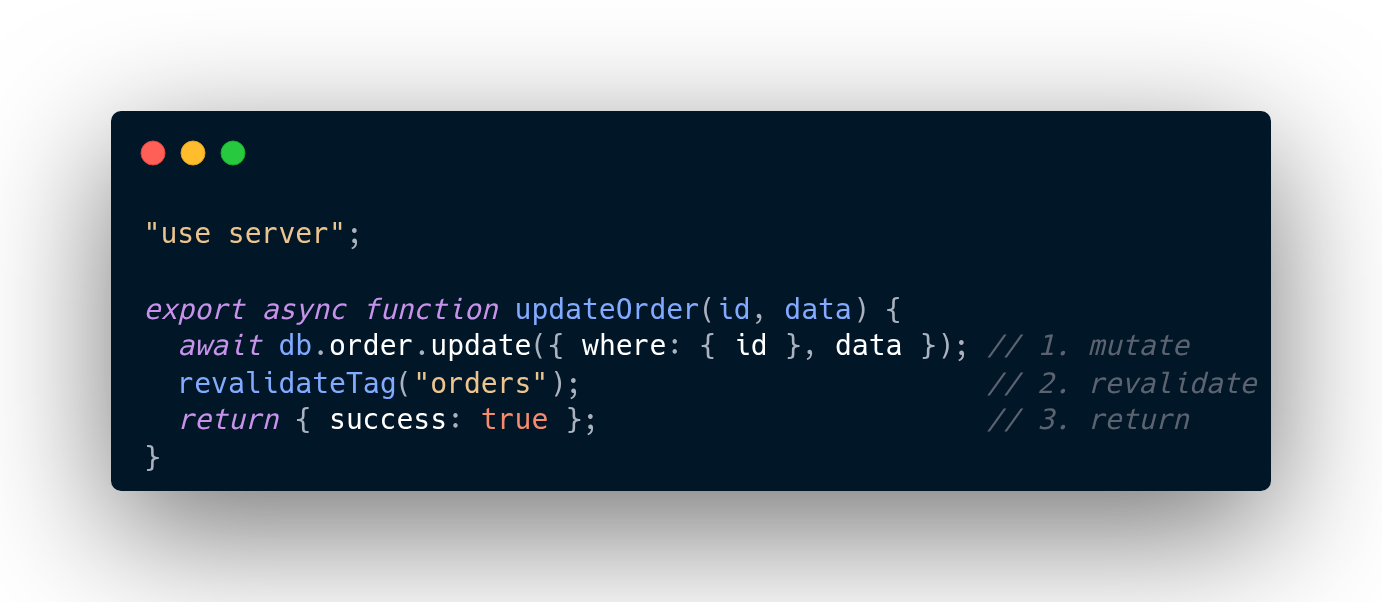
Skip the middle line and the cached Server Components keep showing the old world. I’ve started reviewing my own Server Actions with a simple checklist: mutate, revalidate, return. If the middle step is missing, the UI will lie to the user, and no amount of refreshing will fix it, because the lie is cached on purpose.
A newer tool: updateTag for instant feedback
Worth knowing as the ecosystem moves forward: newer Next.js versions offer updateTag alongside revalidateTag. The distinction is timing:
revalidateTag, “this data changed; refresh it when you can.” Good for webhooks and background invalidation.updateTag(inside a Server Action), “the user just changed this; show it now.” Read-your-own-writes, instantly.
Same tagging discipline, different timing guarantees. Use updateTag when the person staring at the screen is the one who made the change; use revalidateTag when the change came from somewhere else.
The mindset shift
In the Pages router, you fetched on every request. The mental model was simple: request comes in, data goes out.
In the App Router, Next.js builds once and serves forever, until you tell it otherwise. Nothing is broken when your page shows cached data. You just haven’t told it yet. The framework is doing exactly what you asked; you asked for caching by default and then forgot you asked.
Once I internalized that, the four layers stopped feeling like a trap and started feeling like a toolkit. Each layer exists for a real reason, killing duplicate fetches, making pages fast, making navigation snappy. The cost of all that speed is that invalidation is your job now. Tag your data, revalidate on mutation, and know which layer you’re talking to.
Which layer has bitten you hardest? For me it was layer 4, and I don’t think I’ll ever fully live it down.